
Choosing a pos machine for supermarket means matching checkout speed, staff workflow, and operating costs. A practical touch screen POS monitor should offer clear visuals, responsive touch, useful connections, and system compatibility. For wholesalers and retail solution providers, consistent quality and sensible pricing also matter.
Which Screen Size Suits a Busy Supermarket Checkout?
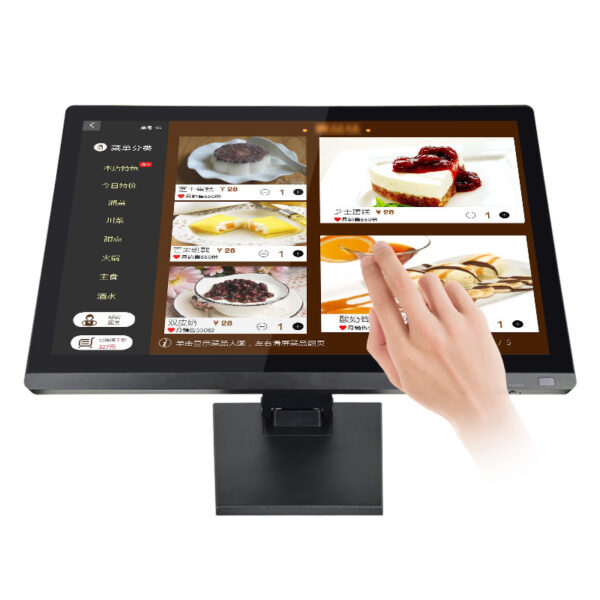
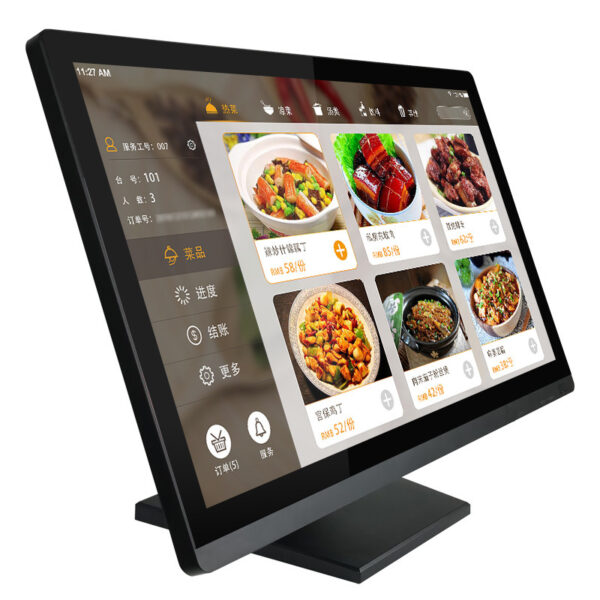
Checkout counters have limited space, yet staff need room to read product names and confirm transactions. A 15.6-inch display offers a useful viewing area without requiring a large counter footprint. Its 1600 by 900 pixel resolution provides a clear workspace for menus, payment steps, and inventory screens.
Meanwhile, the clean widescreen design helps keep the counter organized. Buyers should confirm the mounting method and cable routing before placing bulk orders. For compact checkout lanes, measure the available space and operator viewing angle first.

How Can Touch Control Simplify Staff Workflows?
Cashiers often move between item lookup, discount entry, order review, and payment screens. A ten-point capacitive panel supports multi-touch input when the software allows it. Therefore, staff can tap menus, scroll lists, and zoom compatible content with familiar gestures.
The monitor offers 250 candela per square meter of brightness and displays 16.2 million colors. These specifications suit many indoor checkout environments with managed lighting. However, buyers should test readability under their own lighting conditions before confirming large orders.
Match the Touch Interface to Your POS Software
A capacitive touch monitor for retail checkout works best when the operating system and POS application support its touch interface. This model supports Windows, Linux, and Mac systems. Additionally, the supplier lists Android and Raspberry Pi compatibility options.
Buyers should confirm the exact configuration before purchasing. Driver support and operating system versions can affect installation. Therefore, test the complete setup with the intended checkout software.
Which Connections Help Simplify Installation?
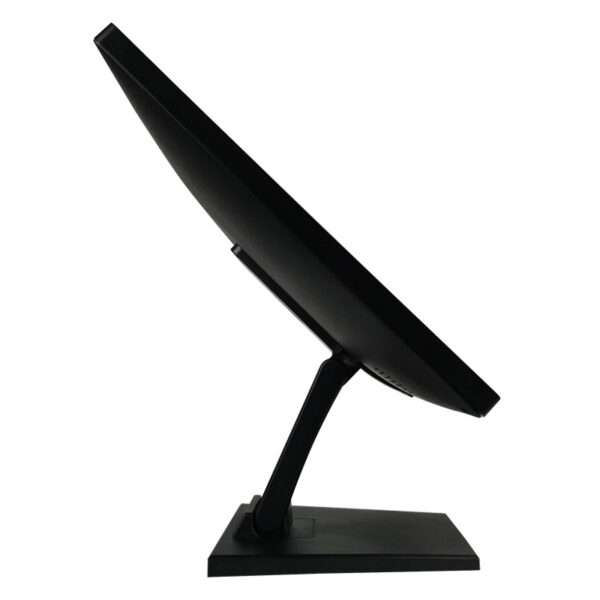
Existing stores may use different computers, payment peripherals, and cable standards. This monitor provides VGA, HDMI, and USB connections as standard. In addition, RS232 is available as an optional touch interface.
Before ordering, check the host computer’s video output and touch-data connection. Then confirm cable length, port availability, mounting space, and adapter requirements. These checks help distributors plan consistent installations across multiple branches.
Explore the POS Monitor Product Range to review models and configurations for different checkout layouts.
How Can Buyers Balance Quality and Total Cost?
For B2B buyers, value depends on more than the unit price. Consistent specifications, clear documentation, and practical technical support can simplify procurement. Likewise, energy-efficient operation may help manage costs across multiple checkout lanes.
The product information estimates power consumption at about 40 percent of ordinary displays. Treat this as a supplier-stated estimate, and request supporting test conditions before calculating savings. In addition, buyers should check quality-control procedures, warranty terms, sample availability, and required compliance documents.
Check Specifications Before Placing a Wholesale Order
| Item | Supplied Monitor Specification | Buyer Check |
|---|---|---|
| Screen size | 15.6 inches | Confirm counter and mounting space |
| Resolution | 1600 by 900 pixels | Match the POS application layout |
| Touch | Ten-point capacitive touch | Confirm driver and software support |
| Brightness | 250 candela per square meter | Test the store’s lighting conditions |
| Color display | 16.2 million colors | Review interface and visual requirements |
| Connections | VGA, HDMI, and USB standard | Match host ports and peripherals |
| Touch option | RS232 available as an option | Confirm the selected configuration |
| Systems | Windows, Linux, and Mac; Android and Raspberry Pi options stated | Validate operating system versions and drivers |
| Certifications | Not specified in the supplied information | Request applicable test reports and declarations |
For larger orders, ask the supplier to confirm sample approval, batch consistency, packaging, delivery schedules, and after-sales support. Also request a written specification sheet for the exact model. This step reduces uncertainty when purchasing for multiple stores or reseller networks.
Read the POS Installation and Compatibility Guide to prepare system checks before deployment.
Q&A: Is This Touch Monitor Suitable for Wholesale Retail Projects?
Q: Can it work as a pos machine for supermarket?
Yes. It can serve as the touch display in a compatible POS setup. Buyers still need a host computer, checkout software, and suitable peripherals.
Q: Does it support touch input?
Yes. The listed model offers ten-point capacitive touch. However, buyers should confirm the selected interface and software configuration.
Q: What makes it practical for B2B buyers?
Its 15.6-inch screen, common video connections, and multi-system options support varied deployment needs. In addition, straightforward specifications help buyers assess usability, purchasing costs, and support requirements.
Q: What should wholesalers confirm before ordering?
Verify connections, operating system versions, touch interfaces, warranty terms, and quality documents. Then approve a sample before committing to a larger batch. This process helps buyers select a suitable wholesale POS monitor for their target retail environments.