
An android pos machine helps retailers manage checkout, payments, and customer self-service. However, choosing the right retail POS system requires more than checking hardware specifications. Buyers should consider daily transaction needs, installation space, payment methods, and long-term operating costs.
For supermarkets, restaurants, and retail chains, a well-designed self-service kiosk can improve checkout efficiency. It can also help staff focus on inventory, customer support, and other store operations. Therefore, B2B buyers should evaluate overall equipment value before making a purchasing decision.
What Screen Size Suits Your Retail Checkout Area?
Screen size affects customer interaction and installation flexibility. A compact screen may suit stores with limited counter space. Meanwhile, larger screens can provide more room for product menus and ordering interfaces.
Match the Display to Your Store Layout
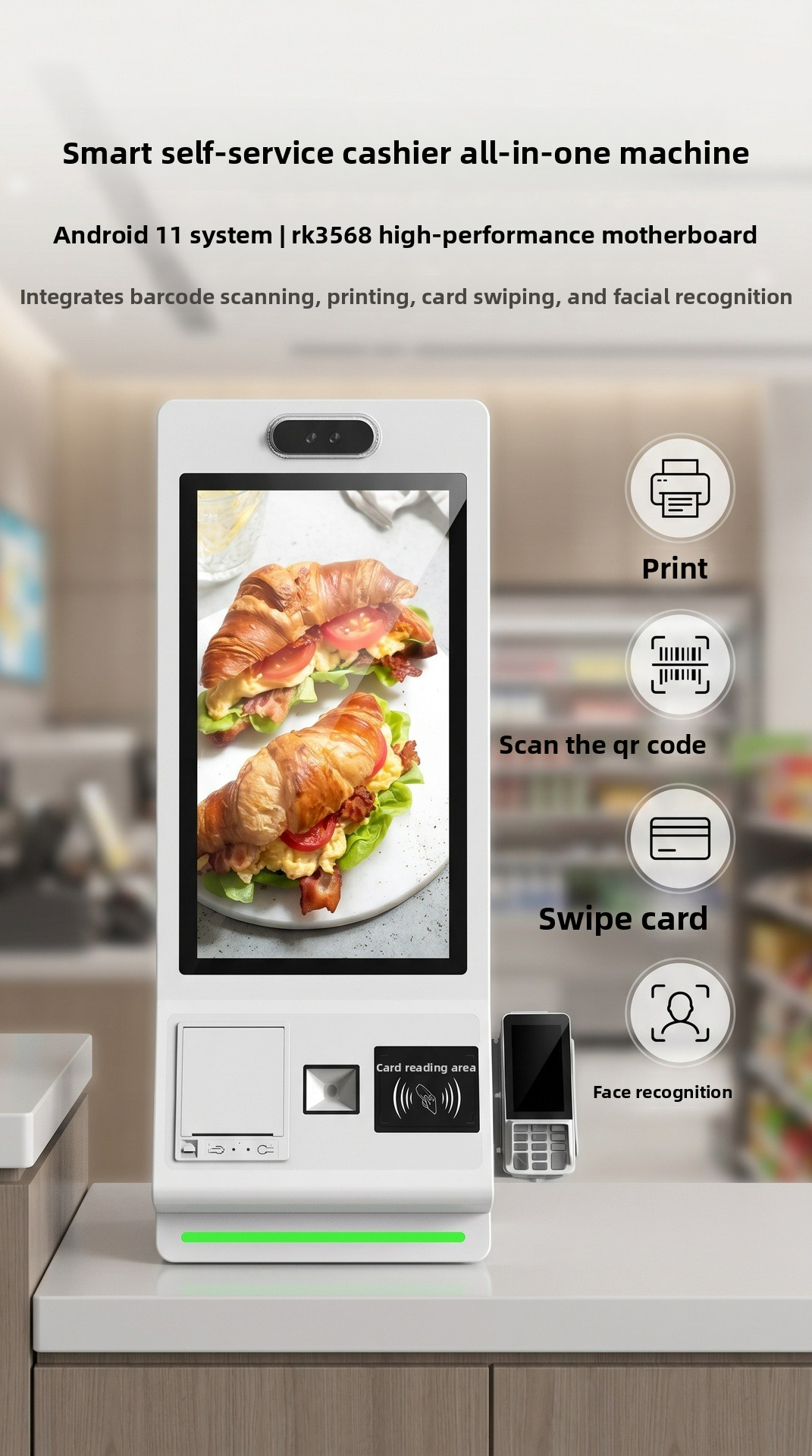
This smart kiosk offers five display sizes: eighteen point five, twenty-one point five, twenty-four, twenty-seven, and thirty-two inches.
Retailers can select a suitable option based on their interface and available space. For example, a smaller display may work well at a compact checkout counter. In contrast, a larger screen may suit supermarkets with broader product selections.
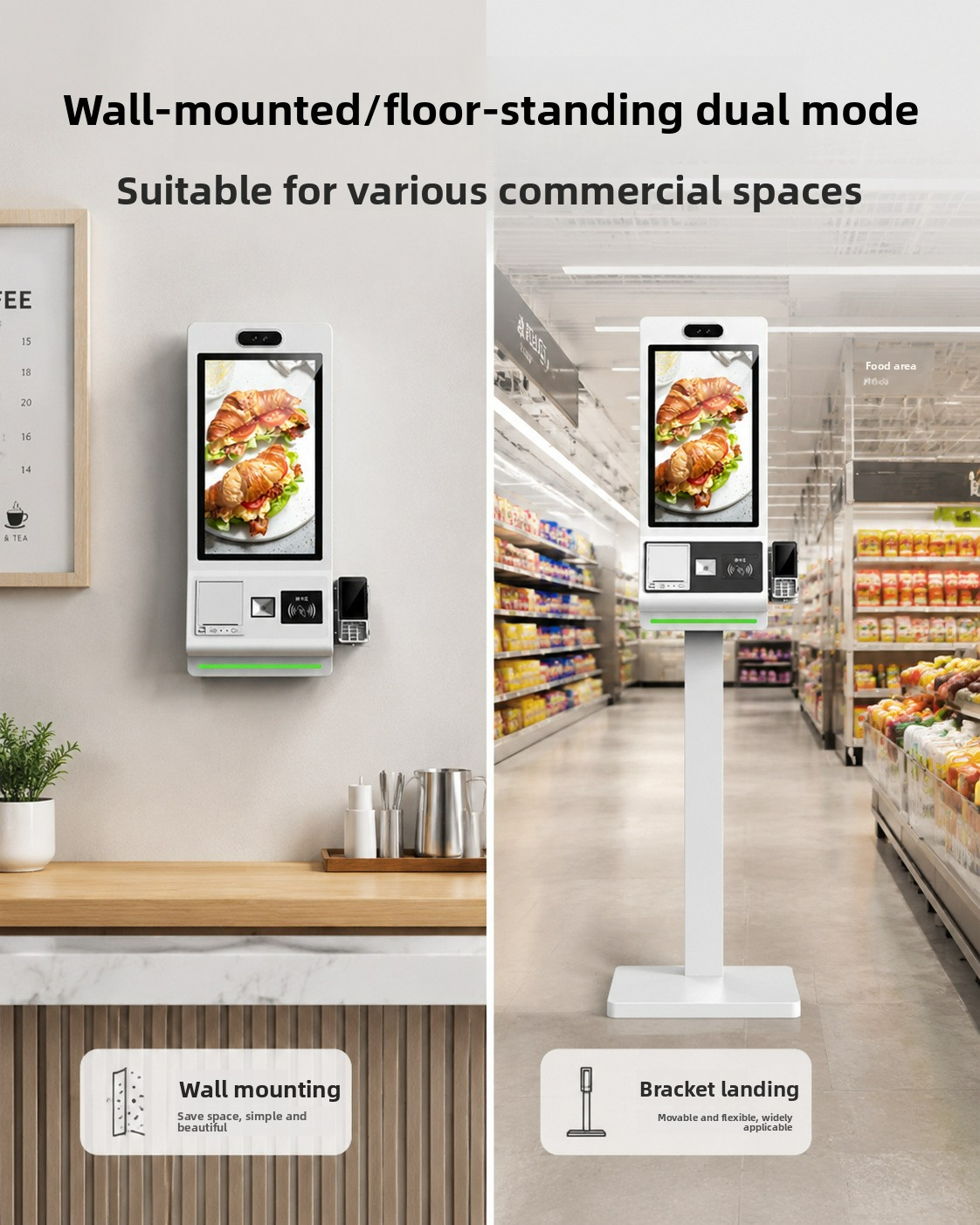
The mounting method also matters. Wall-mounted installation helps preserve floor space. Floor-standing installation can provide a dedicated self-service point in busier areas.
Therefore, buyers should assess customer movement before choosing a configuration.
Explore our retail self-service kiosk and POS product range.
Can an Android POS Machine Support Different Payment Methods?
Payment flexibility plays an important role in retail operations. Customers may prefer QR payments, contactless cards, or other supported payment methods. Therefore, retailers should check the machine’s payment modules carefully.
Check the Integrated Payment Hardware
This Android POS system uses Android eleven as its default operating system. It also supports an optional Windows configuration.
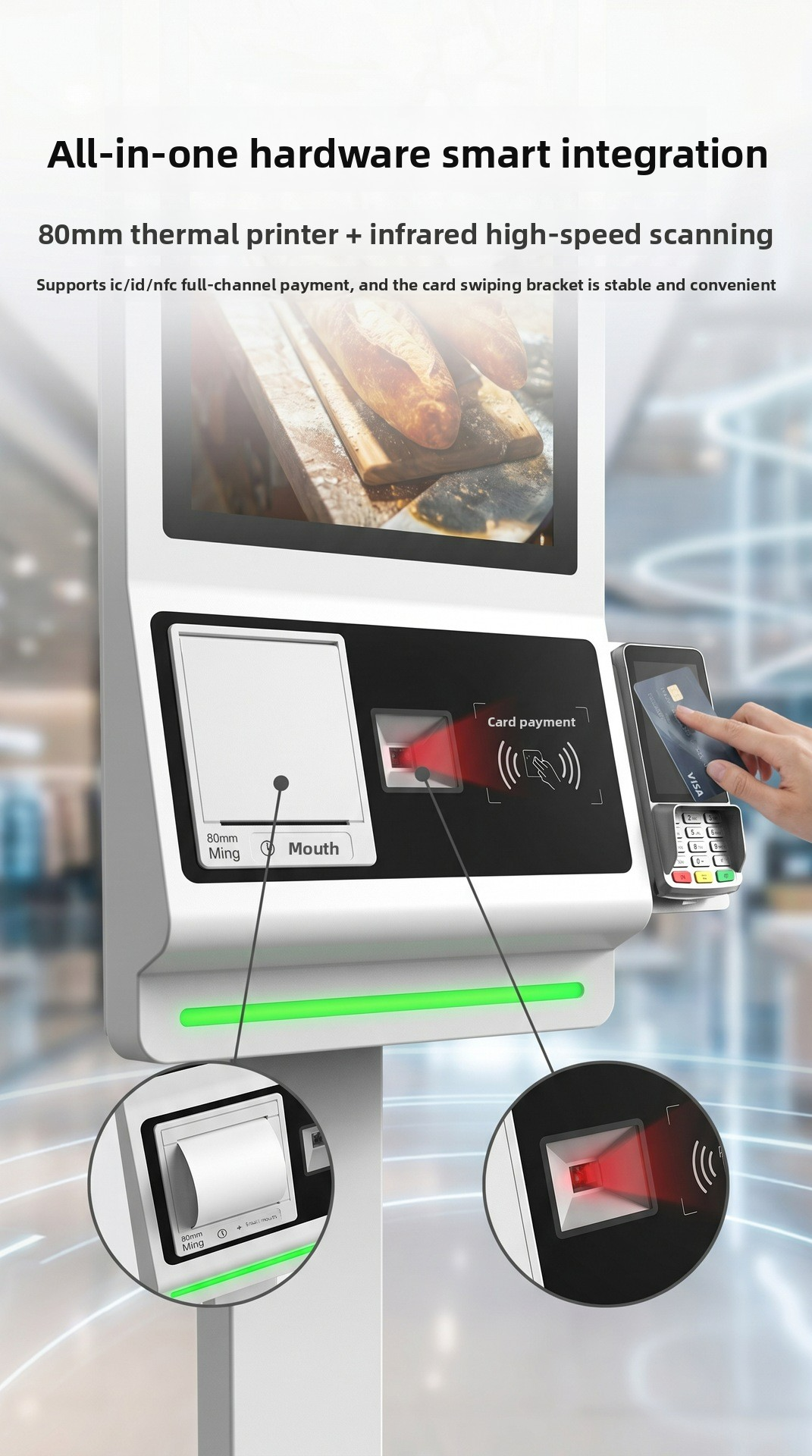
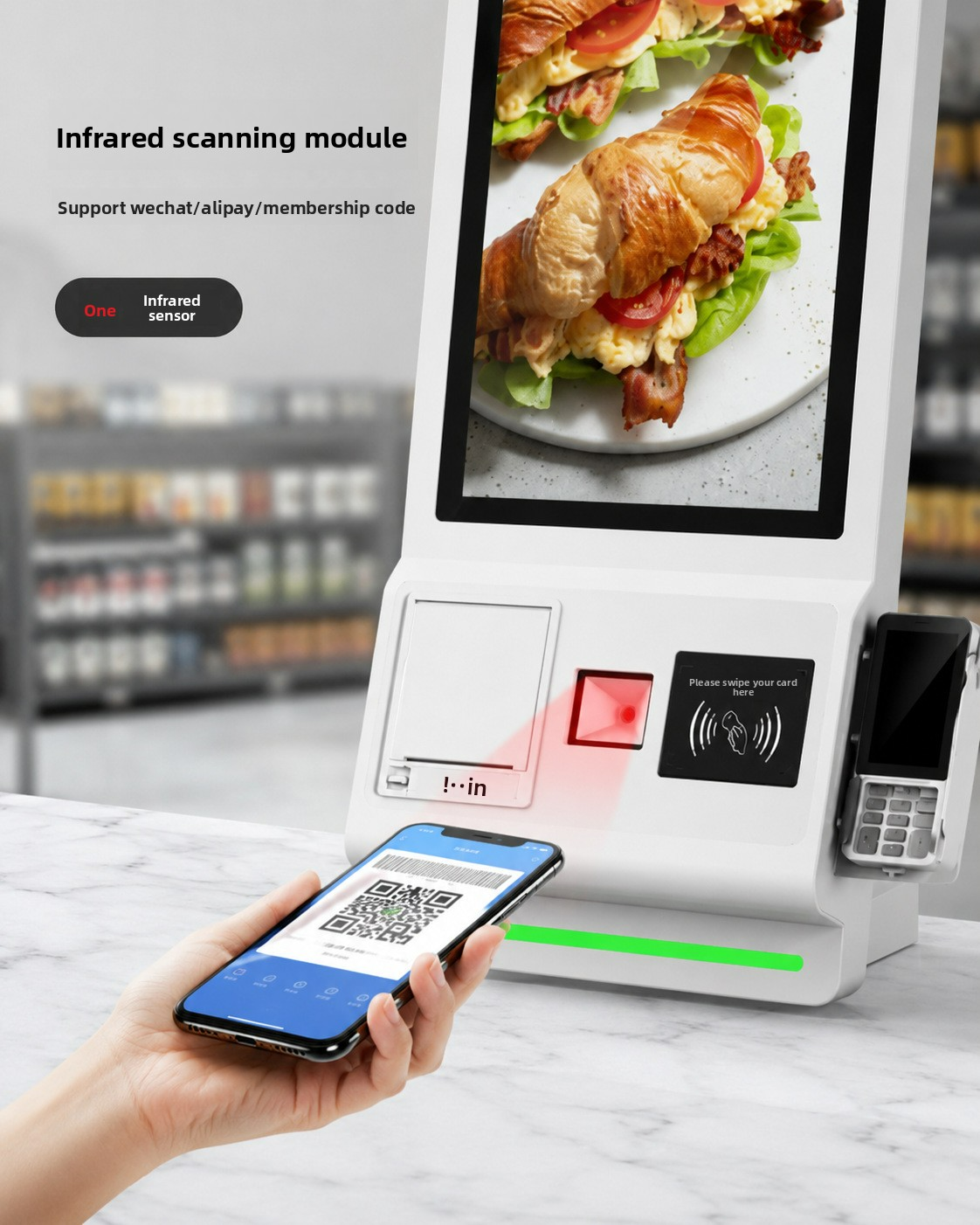
The RK3568 quad-core processor provides the platform for kiosk applications. Meanwhile, the integrated infrared scanner reads QR codes. The multifunctional card reader supports IC cards, ID cards, and NFC.
However, payment compatibility depends on the retailer’s software and payment service providers. Buyers should confirm integration requirements before ordering.
The built-in camera also supports facial recognition applications. Retailers can evaluate this function according to their business processes and local requirements.
| Feature | Available Configuration | Buyer Consideration |
|---|---|---|
| Operating system | Android eleven; optional Windows | Check software compatibility |
| Processor | RK3568 quad-core | Match application requirements |
| QR scanning | Infrared QR scanner | Confirm supported code formats |
| Card reading | IC, ID, and NFC | Verify payment integration |
| Camera | Monocular or binocular HD | Confirm application requirements |
| Connectivity | Wi-Fi, Ethernet, optional 4G | Check network availability |
This configuration combines several functions in one unit. Consequently, retailers can evaluate whether an integrated kiosk suits their checkout workflow.
How Can Self-Service Printing Improve Checkout Efficiency?
A self-service terminal should support the complete customer interaction process. Scanning, payment confirmation, and receipt printing all affect the checkout experience.
Consider Printer Speed and Cutting Functions
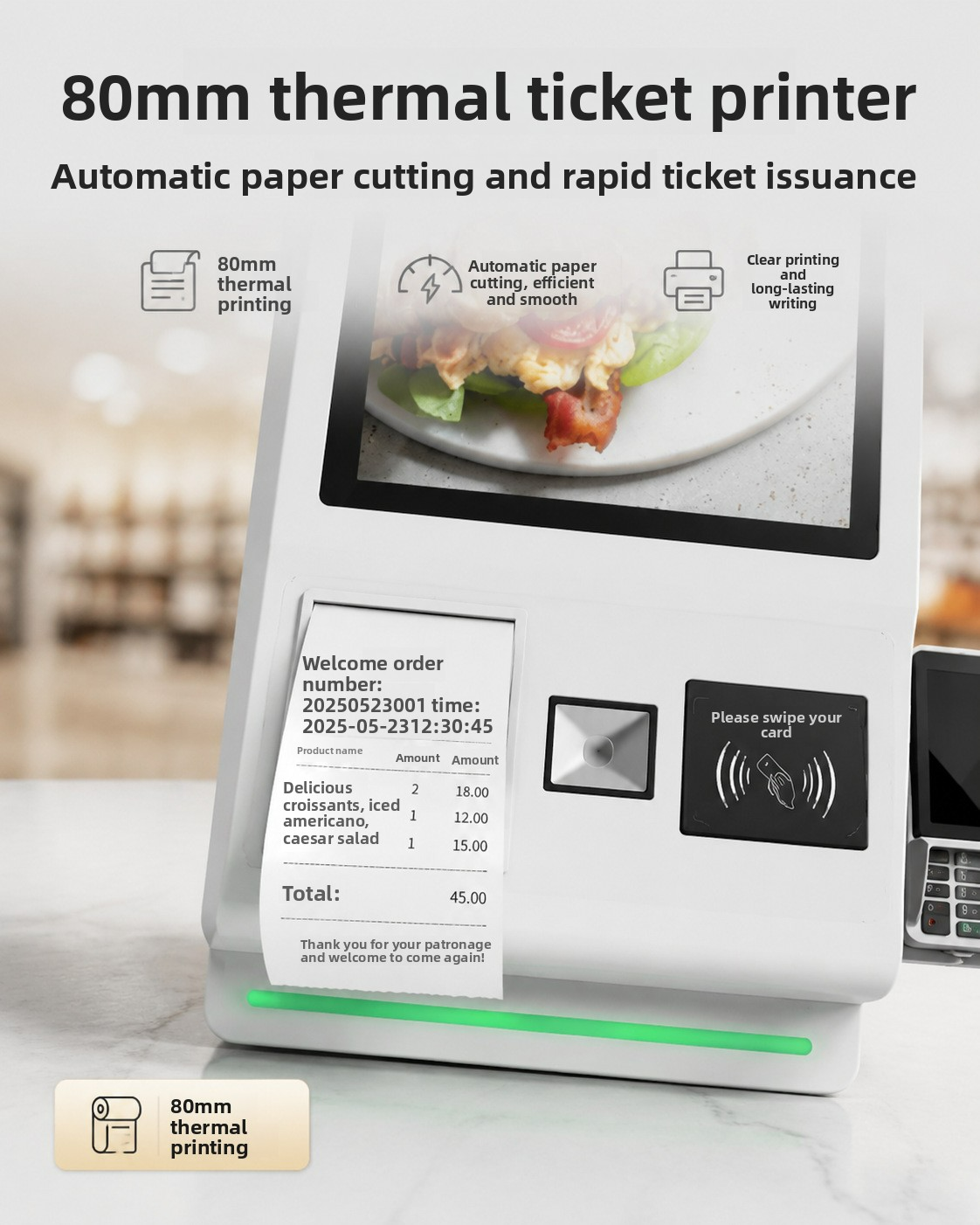
The machine includes an eighty-millimeter thermal printer with an automatic cutter. This setup supports receipt printing within the self-service workflow.
For supermarkets, customers can complete supported transactions and collect printed receipts. Restaurants can also use self-service terminals for ordering workflows.
Nevertheless, actual checkout speed depends on software response, network conditions, payment processing, and customer interaction. Buyers should test the complete workflow before deployment.
An integrated printer also reduces the need for separate receipt-printing equipment. This can simplify equipment planning at suitable checkout locations.
Read our technical guide to self-service payment and kiosk integration.
Which Connectivity Options Matter for Multi-Store Retail?
Retail equipment needs a stable connection with business systems. However, each store may have different network conditions and infrastructure.
Select Connectivity for Your Deployment Environment
This kiosk supports Wi-Fi and Ethernet connections. Buyers can also select an optional 4G module.
Ethernet may suit fixed checkout counters with available network ports. Wi-Fi can provide more flexibility when retailers arrange store layouts. Meanwhile, optional 4G may support locations with suitable mobile network coverage.
Before purchasing, confirm the required connection with your POS software provider. Also, check whether the kiosk can communicate with inventory, ordering, and payment platforms.
For multi-store projects, consistent configuration can simplify deployment and maintenance. Therefore, buyers should discuss software compatibility and technical support with the supplier.
How Do You Evaluate the Cost-Effectiveness of a Retail POS Kiosk?
A low purchase price does not always represent the best equipment value. Retailers should consider hardware integration, installation, maintenance, and expected service requirements.
Compare Total Ownership Value
An all-in-one kiosk combines a display, processor, scanner, card reader, camera, and printer. This integrated design can reduce the need to source several separate devices.
However, the best configuration depends on actual business needs. A small store may not require the largest display or optional 4G module. A high-traffic supermarket may prioritize screen visibility and convenient floor-standing installation.
Buyers should compare quotations using the same configuration. They should also review warranty terms, spare parts availability, software compatibility, and after-sales support.
| Purchasing Factor | What to Check | Why It Matters |
|---|---|---|
| Hardware quality | Component selection and assembly | Supports stable daily operation |
| Configuration | Screen, scanner, printer, and reader | Avoids unnecessary spending |
| Installation | Wall-mounted or floor-standing | Matches store layout |
| Software | POS and payment compatibility | Supports existing workflows |
| After-sales service | Warranty and technical support | Helps manage long-term costs |
A reliable supplier should explain configuration options clearly. They should also help buyers select functions that match actual deployment requirements.
View available kiosk configurations for retail and supermarket projects.
Q&A: Common Questions About Android POS Machines
Q1: Can this Android POS machine work in supermarkets?
Yes. Its integrated scanner, card reader, printer, and touchscreen support suitable self-service checkout applications. Retailers should confirm software and payment compatibility before deployment.
Q2: Does the kiosk support Windows?
Yes. Android eleven comes as the default operating system. Windows is available as an optional configuration.
Q3: Can buyers choose different screen sizes?
Yes. Available display sizes range from eighteen point five to thirty-two inches. Buyers can select according to interface needs and installation space.
Q4: Is this kiosk suitable for wholesale retail projects?
It can suit supermarkets, restaurants, and other self-service environments. Buyers should confirm the required configuration, integration scope, and support terms before placing bulk orders.