

An LCD display touch screen combines visual information with direct user interaction. For B2B buyers, selecting the right touch screen LCD monitor involves more than checking screen size. Resolution, brightness, touch accuracy, connectivity, and operating system support all influence project suitability. Therefore, distributors, equipment manufacturers, and system integrators should evaluate these factors before placing bulk orders.
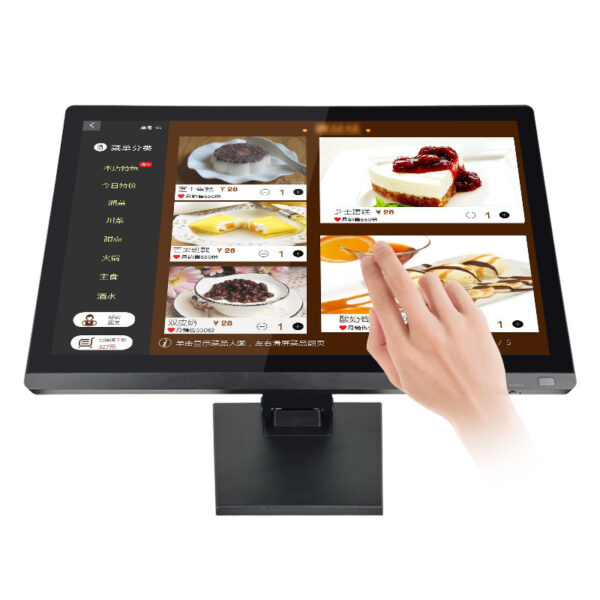
The featured fifteen-point-six-inch monitor offers a wide-screen format, ten-point capacitive touch, and multiple connection options. In addition, its multi-system compatibility can support different commercial applications. By matching specifications with actual requirements, buyers can balance product quality, integration costs, and purchasing efficiency.
How Do You Match Screen Size and Resolution to Your Project?
Different devices require different display layouts. For example, compact kiosks need efficient use of space, while industrial control panels may prioritize readable operating information. Therefore, screen dimensions and resolution should match the intended interface.
Evaluate Display Clarity and Available Workspace
The featured LCD display touch screen measures fifteen point six inches diagonally. Its standard resolution is 1600 by 900 pixels. This configuration provides a wide-screen workspace for menus, dashboards, and interactive applications.
The monitor supports 16.2 million colors. Consequently, developers can present detailed interface elements and colorful visual content. However, the best resolution depends on viewing distance, software layout, and the computing platform.
Before ordering, test the intended interface at its actual display resolution. This step helps teams assess text readability and button placement. It also reduces unnecessary changes during deployment.
Explore our LCD display product category to review suitable display configurations for your project.
Which Brightness Level Suits Commercial Applications?
Display visibility affects usability across retail counters, information kiosks, and equipment interfaces. However, ambient lighting varies between installation sites. Buyers should therefore evaluate brightness alongside screen reflections and viewing distance.
Balance Brightness with the Operating Environment
The featured monitor provides a brightness rating of 250 candela per square meter. This level may suit indoor applications with controlled lighting. For brightly lit spaces, buyers should assess visibility under actual installation conditions.
Additionally, consider the display angle and surrounding light sources. Strong reflections can affect readability even when a screen offers adequate brightness. Therefore, request sample testing when projects involve varied lighting environments.
For bulk procurement, confirm whether the quoted brightness applies to every selected unit. Consistent specifications help simplify acceptance checks across multiple batches.

Does Ten-Point Capacitive Touch Fit Your Application?
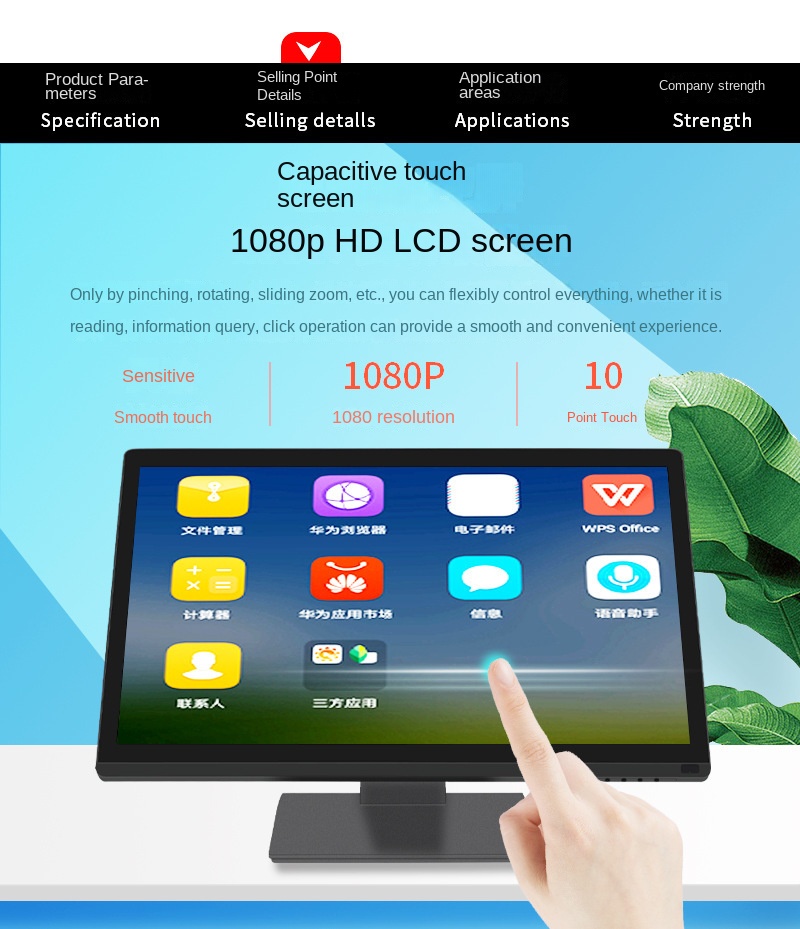
Touch technology influences how users interact with menus and controls. The featured LCD display touch screen supports ten-point capacitive touch. This capability allows compatible software to recognize multiple simultaneous touch points.
Check Touch Performance and Software Compatibility
Ten-point touch can support gestures, interactive interfaces, and applications involving several simultaneous inputs. Nevertheless, actual behavior depends on the operating system, drivers, and application software.
The monitor lists Windows, Linux, and Mac operating system support. The supplier also identifies Android and single-board computing platforms among its supported system options. Buyers should confirm compatibility with their exact hardware and software versions.
For example, a retail kiosk may need reliable menu selection. Meanwhile, an equipment interface may prioritize precise control buttons. Therefore, test the touch response with the intended application before approving a large order.
How Do Connectivity and Integration Affect Bulk Purchasing?
A display may need to connect with existing computers, embedded systems, or control equipment. Consequently, interface selection deserves attention before procurement begins.
Confirm Ports, Cables, and Host Requirements
The supplied configuration includes Video Graphics Array, High-Definition Multimedia Interface, and Universal Serial Bus connections. An optional Recommended Standard 232 interface supports touch applications when specified.
These connections provide flexibility across compatible host systems. However, buyers should confirm the exact port configuration for each model. They should also verify whether touch data travels through Universal Serial Bus or the optional serial interface.
Review our technical guide for additional display integration considerations. Before confirming quantities, request interface drawings and compatibility details from the supplier.
How Can Buyers Control Costs Without Sacrificing Quality?
Bulk orders require consistent specifications, predictable delivery, and manageable integration costs. Therefore, buyers should assess the entire purchasing process rather than compare unit prices alone.
Compare Specifications Before Requesting Quotations
Use the following table to evaluate the featured monitor and identify details requiring supplier confirmation.
| Evaluation Item | Available Specification | Buyer Consideration |
|---|---|---|
| Screen size | Fifteen point six inches | Confirm physical dimensions |
| Resolution | 1600 by 900 pixels | Match application requirements |
| Color support | 16.2 million colors | Check visual requirements |
| Brightness | 250 candela per square meter | Assess ambient lighting |
| Touch technology | Ten-point capacitive | Test application compatibility |
| Video interfaces | Video Graphics Array and High-Definition Multimedia Interface | Verify host connections |
| Touch interface | Universal Serial Bus; optional Recommended Standard 232 | Confirm selected configuration |
| Operating systems | Windows, Linux, Mac; additional platform support listed by supplier | Verify exact versions and drivers |
| Certifications | Not specified in the supplied information | Request applicable documentation |
For dependable bulk purchasing, ask about incoming material checks, touch-function testing, final inspection, and batch consistency. Also, clarify warranty coverage, packaging, lead times, and technical support.
The supplier highlights a focus on stable operation, straightforward integration, and cost-effective configurations. However, buyers should request supporting quality procedures and sample units before committing to larger quantities.

Plan Your Next LCD Touch Display Order
Choosing an LCD display touch screen starts with application requirements. First, confirm screen dimensions and resolution. Next, evaluate brightness, touch functionality, and system compatibility. Finally, verify interfaces, quality controls, and commercial terms.
For distributors, equipment manufacturers, and project integrators, careful specification matching can reduce avoidable customization costs. It can also make repeat purchasing easier. Contact the supplier with your target quantity, application, operating system, and interface requirements. This information helps the team recommend a practical configuration for your project.