
Integrating a modern touch screen pos billing machine instantly eliminates checkout line congestion while dropping order entry errors down to near zero. This smart operational upgrade guarantees faster payment processing. Consequently, it allows retail and hospitality operators to serve up to 50% more customers daily.
As checkout friction remains the number-one consumer complaint in physical stores, speed is absolutely vital to business survival. Indeed, recent retail studies reveal that 80% of shoppers will abandon their purchases if forced to wait longer than five minutes.
Fortunately, replacing slow mechanical buttons with intuitive, visual touch-panel grids streamlines the entire transaction process. Ultimately, deploying advanced touch-billing infrastructure protects your daily sales margins. It also transforms your checkout counters into highly efficient profit centers. Now, let us examine the core bottlenecks that make traditional cash registers highly ineffective.
The Queue Bottleneck: Why Manual Cash Registers Fail to Match Modern Shopper Expectations
Every retail manager knows the sudden dread of watching a checkout queue snake deep into the product aisles. This common operational bottleneck happens because older cash registers rely entirely on slow, manual numeric keyboard entry.
How Manual Price Keying Triggers Disastrous Data Entry Errors
Standard cash registers require cashiers to memorize look-up codes or manually type in price tags for non-barcoded items. Under heavy rush-hour stress, operators inevitably press the wrong buttons.
This manual error causes pricing inaccuracies, leading to constant item voids and manual price overrides. Consequently, each price dispute forces the entire line to stop. Therefore, you need a responsive high speed retail billing terminal to keep transactions moving smoothly.
Why Fragmented Payment Terminals Create Sluggish Checkout Friction
Older registers do not talk directly to credit card readers or mobile payment tap pads. Cashiers must manually type the exact dollar total onto the secondary payment terminal pin-pad.
This double-entry process takes valuable seconds and frequently leads to mismatched transaction records. As a result, your accounting team spends hours balancing daily sales reports. Therefore, integrating a unified touch screen pos billing machine becomes essential to streamline floor operations.
Technical Core: What Makes a Touch Screen POS Billing Machine Incredibly Fast?
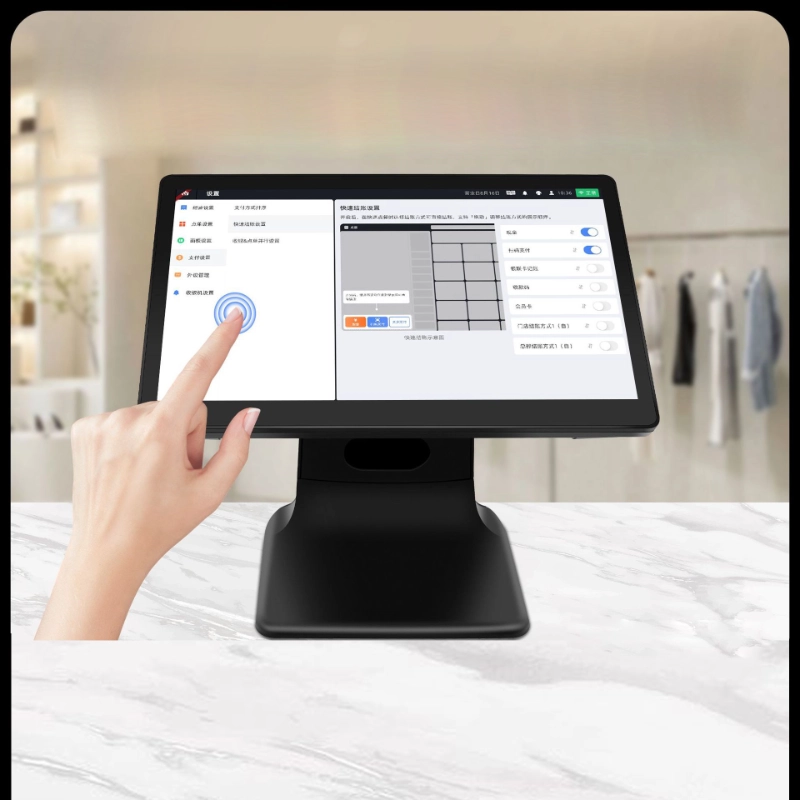
To solve the slow transaction speeds of traditional cash registers, hardware engineers built high-performance, multi-touch checkout computers. These systems combine multi-core processors with intuitive, customized user interfaces.
Harnessing Multi-Core Processors for Instantaneous Item Processing
Elite touch-billing systems utilize high-speed internal processors that load menus and calculate tax rates in milliseconds. This rapid processing power ensures the screen remains highly responsive, even when ringing up massive orders.
Consequently, the software displays pricing changes instantly, keeping your checkout lines moving rapidly. Your cashiers can breeze through complex transactions, maintaining high productivity throughout their entire shifts.
The Decisive Efficiency of a Cloud Based Restaurant POS System
Operating a busy quick-service restaurant or cafe requires highly adaptable hardware that can handle sudden menu adjustments:
-
Dynamic Visual Menu Grids: Group popular dishes into color-coded folders to help cashiers locate items in one touch.
-
Automatic Modifier Prompts: Display instant pop-ups for sides or allergies to ensure kitchen staff receive perfect orders.
-
Instant Kitchen Ticket Routing: Send orders straight to kitchen monitors immediately, completely eliminating hand-written ticket delays.
-
Split-Bill Math Engines: Calculate complex split checks for large dining parties in under ten seconds.
Performance Comparison: Traditional Cash Registers vs. Touch Screen POS Systems
| Operational Metric | Traditional Manual Cash Registers | Touch Screen POS Billing Machines |
| Average Checkout Time | Slow (Averages 3 minutes per customer) | Ultra-Fast (Cuts billing time down to 1.5 minutes) |
| Billing Error Rates | High (Common due to manual keying slips) | Extremely Low (Under 1% thanks to visual tapping) |
| Payment Terminal Sync | Manual (Requires typing amounts twice) | Instant (The screen automatically drives the terminal) |
| Inventory Tracking | None (Requires manual physical counts) | Real-Time (Deducts stock immediately upon sale) |
| Software Adjustments | Hard (Requires physical key programming) | Effortless (Push menu updates instantly via cloud) |
Strategic Retail Benefits: Maximizing Cart Conversion and Unlocking Customer Loyalty
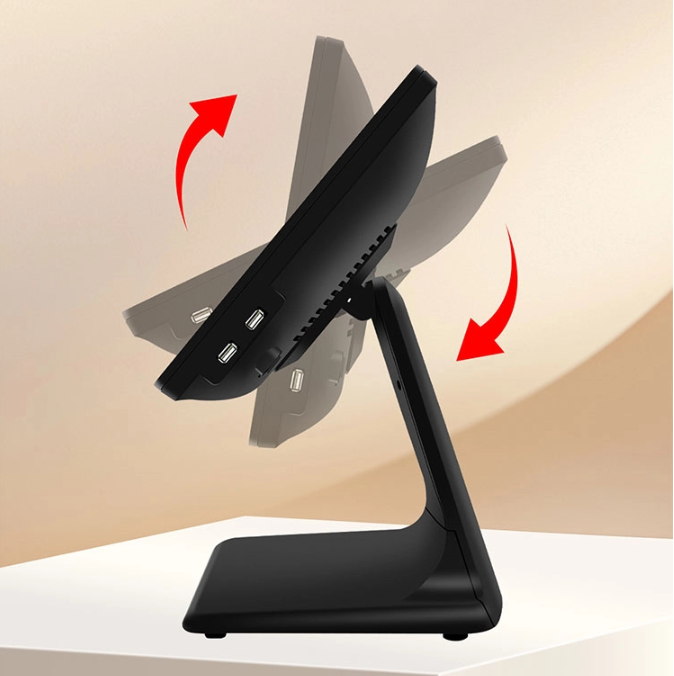
Integrating an advanced contactless smart payment register into your business delivers immediate, compounding financial returns. This equipment asset upgrade converts boring checkout moments into highly professional, customer-centric interactions.
Shaving Seconds Off Transactions to Stop Checkout Queue Abandonment
When a checkout line moves quickly, shoppers are much more likely to complete their purchases. Minimizing queue wait times directly boosts your store’s total daily sales volume.
Shaving just five seconds off each transaction can save your business dozens of labor hours every single week. This speed boost keeps your customers happy, ensuring they return to your store for their weekly shopping.
Driving Dynamic In-Store Promotions to Increase Average Basket Sizes
Modern checkout screens do not just process payments; they actively help you sell more products. You can display helpful pop-up prompts that remind cashiers to offer seasonal gift cards or loyalty programs.
Furthermore, deploying a dual screen interactive checkout hub allows customers to see their active cart details on a secondary screen. This transparent checkout process builds deep customer trust, making shoppers highly receptive to your loyalty sign-ups.
Plug your POS terminal into a secure, wired Ethernet connection to ensure instant cloud syncing.
Group your best-selling products onto the main home screen using bright, easily recognizable colors.
Sync your barcode scanners and credit card readers directly with the central POS software.
Run your cashiers through realistic transaction scenarios to build muscle memory on the touch screen.
FAQ:
How does a touch screen POS billing machine improve order entry accuracy?
A touch screen pos billing machine replaces confusing physical buttons with large, highly descriptive visual icons. Cashiers can visually confirm their selections on the screen before finalizing the payment. This clean visual setup virtually eliminates entry errors, ensuring customers are billed correctly for every single item.
Can a cloud based restaurant pos system operate if the shop’s internet goes down?
Yes, premium POS systems feature advanced offline modes that allow you to continue processing transactions without internet. The local terminal saves all sales and card details securely on its internal hard drive. Once your internet connection restores, the system uploads the stored data to your cloud database automatically.
What is the mechanical difference between capacitive and resistive touch screens?
Capacitive screens utilize the natural electrical charge of human skin to register touches, offering ultra-fast, smartphone-like responsiveness. Resistive screens require physical pressure to activate, which can slow down transaction speeds over time. For high-volume retail locations, we highly recommend utilizing durable capacitive glass screens.

Invest in Premium Touch Billing Technology to Secure Future Brand Growth
Relying on slow, outdated mechanical cash registers leaves your business highly vulnerable to long lines, human errors, and lost sales. You cannot build a modern, high-growth brand if slow checkout lines constantly turn your customers away. Upgrading your checkout lanes to leverage a premium touch screen pos billing machine network updates your storefront completely. This strategic hardware investment combines fast multi-touch screens with seamless cloud software to protect your daily sales volume.
Stop letting slow payment processing and typing errors limit your business growth this season. Invest in field-proven, highly responsive touch POS systems that maximize your transaction speeds and deliver flawless checkout experiences. Your cashier crew will work faster with less stress, and your customers will enjoy the rapid, modern service. Modernize your checkout technology framework today to take absolute control over your store’s transaction standards.