
Choosing the right Embedded touch monitor requires careful technical evaluation. Buyers should consider installation methods, touch performance, enclosure protection, and system compatibility. Moreover, industrial displays need suitable thermal management and mechanical structures.
For automation manufacturers and system integrators, an embedded touch monitor must fit the equipment design. Therefore, selecting a suitable display involves more than comparing screen sizes.
How Do You Match an Embedded Monitor to Equipment Design?
Industrial equipment often has limited installation space. Meanwhile, operators need sufficient screen area for control interfaces and production information.
A poorly matched display can complicate panel integration. Therefore, buyers should confirm dimensions and mounting requirements first.
Why Choose an Open Frame Display?
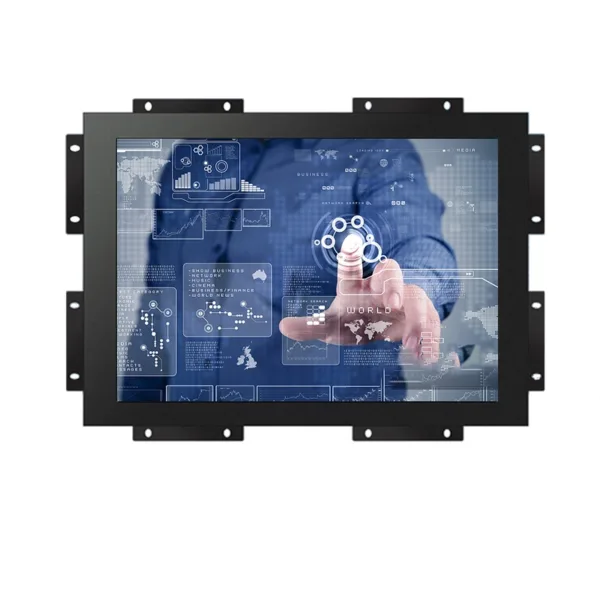
The 23.8-inch PCAP touch monitor features an open frame structure. Its embedded buckle design supports integration into compatible equipment panels.
Additionally, its all-metal housing provides a sturdy enclosure. The metal spray-painted finish also suits industrial equipment applications.
For machine manufacturers, this structure offers practical integration flexibility. It supports control cabinets, monitoring stations, and automation terminals.
However, buyers should confirm panel dimensions before ordering. This helps engineers evaluate mounting compatibility.
What Protection Features Matter in Industrial Touch Displays?
Industrial displays may operate near dust, moisture, and frequent operator interaction. Consequently, enclosure protection deserves attention.
However, protection requirements vary across installation environments. Buyers should evaluate the complete equipment structure.
IP65 Protection and Tempered Glass
This embedded touch monitor features an IP65-rated front protection design. It also uses tempered glass for the display surface.
These features support applications that require protection against dust and water exposure. They also provide a durable interface for regular operation.
For example, production equipment may require frequent screen cleaning. In this situation, front-panel protection becomes an important selection factor.
Nevertheless, buyers should confirm the IP65 protection scope. They should also check installation sealing and enclosure integration.
How Does PCAP Touch Technology Support Industrial Control?
Touch performance directly affects operator interaction. For example, production workers may use displays to adjust parameters or monitor machine status.
Therefore, touch technology should match the operating environment and application software.
Projected Capacitive Touch for Daily Operation
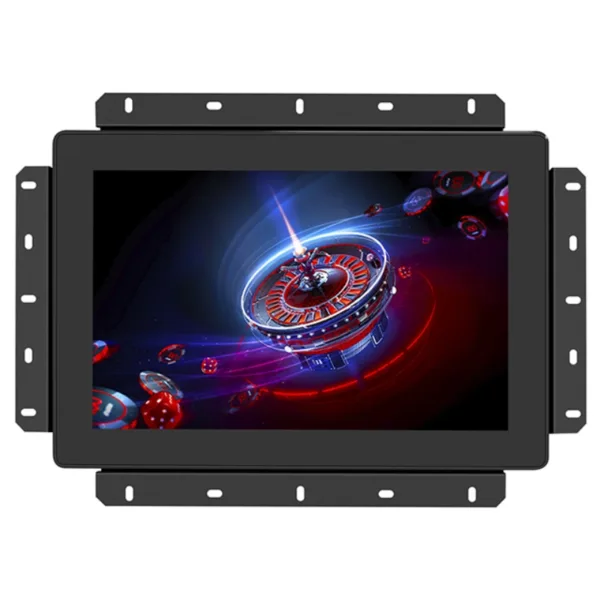
The monitor uses projected capacitive touch technology. This design supports responsive interaction with industrial interfaces.
Furthermore, the 23.8-inch display provides a larger operating area. Operators can view more information within a single interface.
This helps equipment manufacturers design practical control layouts. Meanwhile, the IPS panel supports consistent viewing from different positions.
The display also supports customizable brightness. Therefore, buyers can discuss suitable configurations according to ambient lighting conditions.
Why Are Thermal Management and Operating Temperature Important?
Industrial equipment may run for extended periods. Meanwhile, enclosed cabinets can create additional thermal challenges.
Therefore, display selection should include thermal design and power requirements.
Industrial Heat Dissipation Design
This monitor adopts an industrial thermal management design. Its specified operating temperature range extends from 10°C to 60°C.
Additionally, its operating power consumption is 35W. System integrators can use this information when planning cabinet ventilation and power distribution.
The metal enclosure also supports heat management. However, actual thermal performance depends on installation conditions and surrounding equipment.
Consequently, buyers should evaluate cabinet temperature during project planning.
Which Specifications Should Buyers Check Before Procurement?
B2B buyers need clear specifications before confirming orders. These details help reduce integration adjustments and unnecessary purchasing costs.
For a 23.8-inch embedded touch monitor, consider the following features.
Product Specification Overview
| Specification | Product Details |
|---|---|
| Product Type | Industrial Open Frame LCD Monitor |
| Screen Size | 23.8-inch |
| Touch Technology | PCAP |
| Display Technology | IPS Industrial LCD |
| Front Protection | IP65 |
| Screen Protection | Tempered Glass |
| Housing | All-Metal Enclosure |
| Installation | Embedded Buckle Design |
| Brightness | Customizable |
| Operating Temperature | 10°C to 60°C |
| Power Consumption | 35W |
| Thermal Design | Industrial Heat Dissipation |
| Key Panel | Hidden Design |
| Language Support | Multiple Languages |
| Interface | Customizable |
| Radiation Feature | Low-Radiation Design |
Customization for Different Equipment Projects
Different industrial applications require different configurations.
For example, automation terminals may need specific interface arrangements. Meanwhile, outdoor-facing equipment may require higher display brightness.
Therefore, buyers should discuss installation dimensions, brightness, interfaces, and operating conditions before production.
A supplier with customization capabilities can evaluate these requirements together. This helps customers select practical configurations and manage equipment costs.
Explore Our Industrial Touch Monitor Products
How Can B2B Buyers Select a Cost-Effective Supplier?
Industrial display procurement involves more than comparing unit prices. Buyers should also consider structural quality, configuration flexibility, and technical communication.
For equipment manufacturers, stable product specifications support consistent integration. Meanwhile, distributors need options for different application markets.
This 23.8-inch embedded touch monitor combines PCAP touch technology, an all-metal enclosure, and customizable interfaces.
Its IP65 front protection and embedded installation structure also support demanding industrial applications.
Furthermore, configurable brightness helps address different lighting conditions. Buyers can select suitable options without automatically paying for unnecessary features.
Therefore, a clear technical evaluation helps balance product quality and purchasing value.
Read Our Industrial Display Technical Guides
Q&A: Choosing an Embedded Touch Monitor
Q1: What makes an embedded touch monitor suitable for industrial equipment?
Its open frame structure supports panel integration. Additionally, PCAP touch technology provides convenient operator interaction.
Q2: Does this 23.8-inch monitor support IP65 protection?
Yes. It features an IP65-rated front protection design. Buyers should confirm the sealing requirements for their installation.
Q3: Can the display brightness and interfaces be customized?
Yes. The product supports customizable brightness and interfaces. Buyers can discuss project requirements before ordering.
Q4: Can this monitor operate in different industrial environments?
Its specified operating temperature range is 10°C to 60°C. Buyers should also evaluate cabinet temperature and ventilation.
Q5: Is this monitor suitable for OEM equipment manufacturers?
Yes. Its open frame structure supports equipment integration. Custom interface and brightness options also provide additional configuration flexibility.