
Choosing a reliable dual-screen POS machine supplier helps retailers improve checkout efficiency and customer interaction. A well-designed point-of-sale terminal combines clear displays, capable computing hardware, and practical connectivity. Meanwhile, an industrial touch screen monitor can support interactive retail workflows. A dual-screen configuration adds another display for customer information and transaction details. Therefore, buyers should assess display quality, system compatibility, and long-term service support. The right supplier also helps match hardware configurations with different retail environments.
Can a Dual-Screen POS Machine Improve Checkout Efficiency?
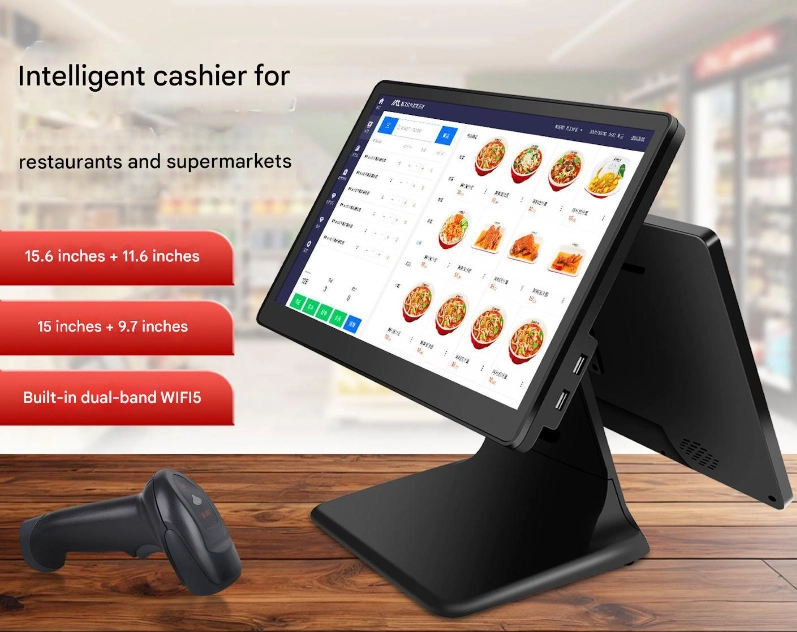
Busy checkout counters require clear information and smooth transaction workflows. Consequently, a dual-screen POS machine can help organize cashier operations and customer-facing information. One screen supports staff interactions, while the second can display prices, order details, or promotional content.
For example, retailers can show transaction totals while processing purchases. Meanwhile, customers can review order information directly. This arrangement supports clearer communication and a more organized checkout experience.
Why Does Screen Size Matter?
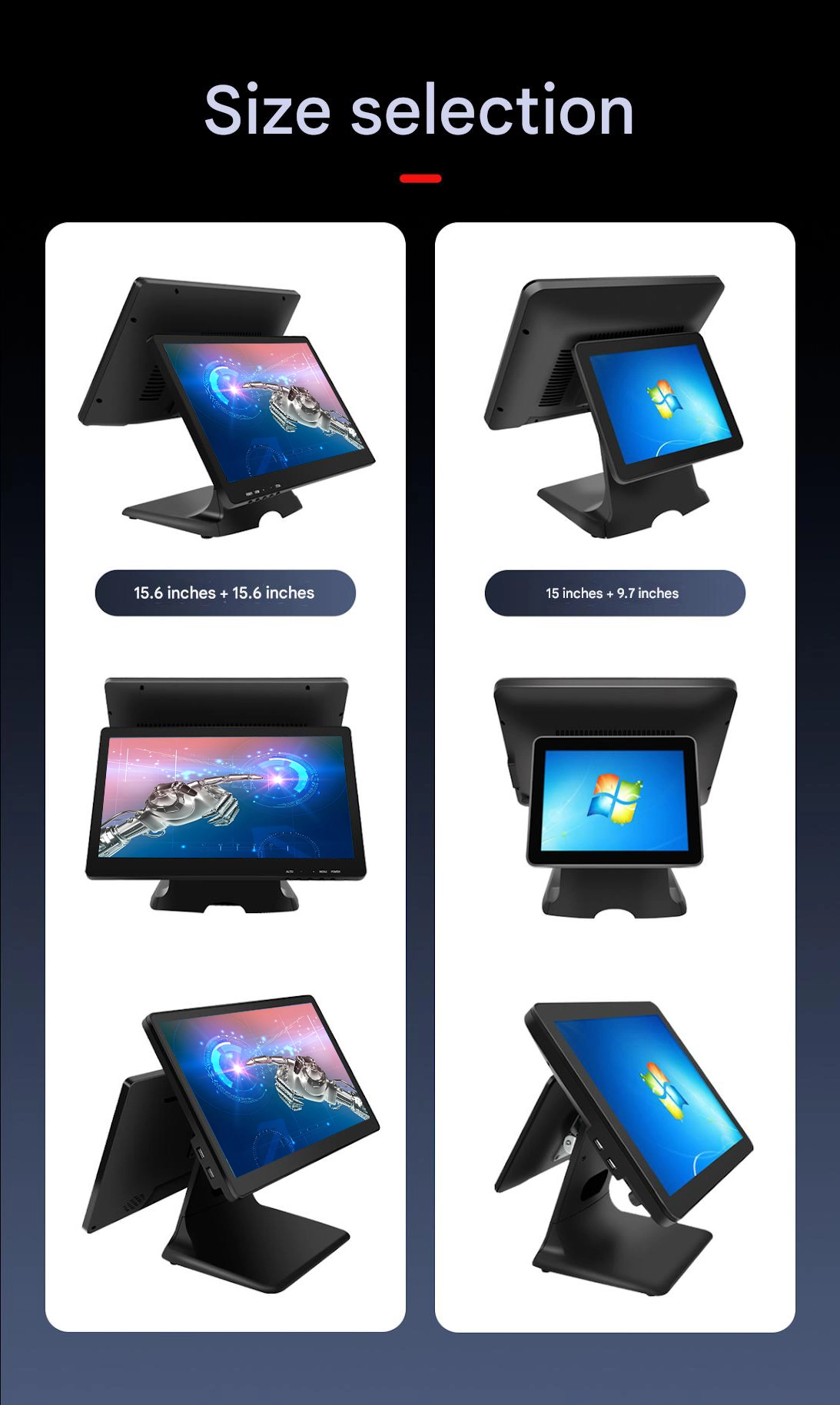
A 15-inch primary display provides working space for cashier interfaces. Additionally, a 9.7-inch secondary display offers another area for customer-facing content. Both screens use a resolution of 1024 × 768 pixels.
The primary screen delivers typical brightness of 400 cd/m². Its specified viewing angles are 80°/80°/65°/80°. Meanwhile, the secondary screen offers 400 cd/m² brightness and 89° viewing angles in all directions. These characteristics help buyers evaluate visibility for different counter layouts.
 How Important Is Computing Performance for Retail Software?
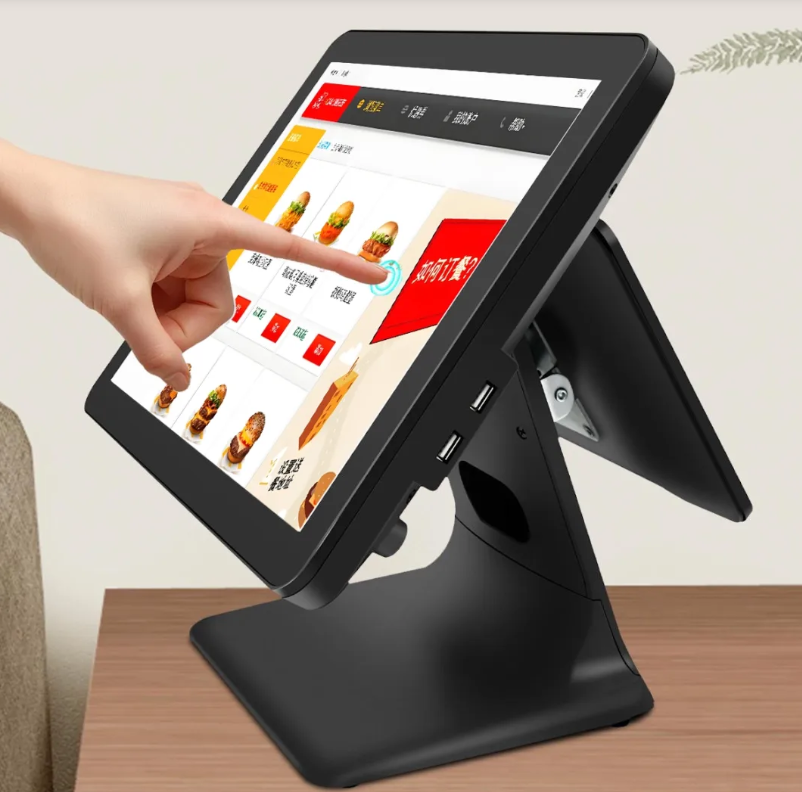
Retail businesses rely on POS software for sales, inventory, payment workflows, and reporting. Therefore, the terminal’s computing configuration should match its intended applications.
The specified configuration uses a fourth-generation Intel Core i5-4200U processor. It also includes 8 GB of RAM and 256 GB of storage. This combination provides a defined starting point for assessing software compatibility.
Which Operating System Should Your POS Supplier Support?
The default configuration lists Windows 10, with Windows 11 and Linux as optional systems. Consequently, businesses can discuss suitable software environments with their supplier.
However, software requirements and operating-system support change over time. Buyers should verify compatibility with their current POS applications and peripheral devices. They should also confirm available drivers and security update arrangements before deployment.
An experienced POS machine supplier should explain these configuration options clearly. Moreover, the supplier should identify upgrade possibilities and any associated costs.
Can Connectivity Support Different Retail Applications?
Modern checkout counters may connect printers, barcode scanners, payment devices, and network services. Therefore, connectivity deserves attention during supplier evaluation.
The specified terminal supports Wi-Fi and Bluetooth 4.2. These wireless functions may simplify integration with compatible devices. However, buyers should confirm the exact wireless standard and peripheral compatibility for their selected configuration.
Which Power Options Suit Your Installation?
The listed power specifications include 110–220 V AC at 50–60 Hz and 12 V DC at 5 A. This information helps retailers assess their installation requirements.
Nevertheless, buyers should confirm the supported input configuration and supplied power adapter. Additionally, check the power requirements of connected peripherals. These steps help establish a suitable checkout installation.
Explore our POS and interactive display product range to review hardware options for different commercial applications.
What Specifications Should Buyers Compare Before Ordering?
A product quotation should explain the complete hardware configuration. Furthermore, a comparison table makes it easier to evaluate different POS solutions.
| Parameter | Specified Configuration | Purchasing Consideration |
|---|---|---|
| Primary display | 15 inches | Main cashier interface |
| Primary resolution | 1024 × 768 pixels | Application layout compatibility |
| Primary brightness | 400 cd/m², typical | Counter lighting conditions |
| Primary viewing angles | 80°/80°/65°/80°, typical | Screen placement |
| Secondary display | 9.7 inches | Customer-facing information |
| Secondary resolution | 1024 × 768 pixels | Content presentation |
| Secondary brightness | 400 cd/m², typical | Customer visibility |
| Secondary viewing angles | 89° in all directions, typical | Viewing flexibility |
| Processor | Intel Core i5-4200U, fourth generation | Software requirements |
| Memory | 8 GB RAM | Application workload |
| Storage | 256 GB | Software and local data |
| Operating system | Windows 10 by default; Windows 11 or Linux optional | Software compatibility |
| Wireless connectivity | Wi-Fi, Bluetooth 4.2 | Network and peripheral support |
| Power input | 110–220 V AC, 50–60 Hz; 12 V DC, 5 A | Confirm supported configuration |
| Certifications | Not specified | Request model-specific documentation |
How Can a Supplier Support Long-Term Business Needs?
Beyond hardware specifications, businesses benefit from clear warranty terms and responsive technical support. In addition, consistent product configurations can simplify multi-store deployment.
Ask about spare parts, repair procedures, and software compatibility assistance. Also, clarify production lead times and customization options for bulk orders. These services help retailers plan expansion more effectively.
Why Choose a Supplier That Understands Retail Applications?
Different businesses need different checkout workflows. For instance, supermarkets may prioritize barcode scanning and rapid transactions. Meanwhile, boutiques may value customer-facing promotions and compact counter layouts.
A capable supplier should understand these differences. Rather than offering hardware alone, it should help match display configuration, computing resources, and connectivity to actual business needs.
Furthermore, buyers evaluating an industrial touch screen monitor should confirm its touch technology and durability specifications. The listed POS configuration does not specify its touch technology or an IP protection rating. Therefore, request these details when touchscreen operation or environmental protection is essential.
Read our technical guide for more information about display integration and hardware selection.
Q&A
Q: What should I prioritize when choosing a dual-screen POS machine supplier?
Prioritize display quality, computing compatibility, connectivity, warranty support, and customization options. Additionally, confirm the supplier can meet your deployment and maintenance requirements.
Q: What are the advantages of a 15-inch and 9.7-inch dual-screen setup?
The primary display supports cashier workflows. Meanwhile, the secondary screen can present transaction details and promotional content. Together, they support clearer customer communication.
Q: Is 8 GB RAM suitable for POS applications?
It may suit many basic retail applications. However, actual suitability depends on the operating system, POS software, and connected services. Confirm the application’s recommended hardware requirements.
Q: Can the POS terminal support Windows 11 or Linux?
The supplied specifications list both as optional operating systems. Confirm hardware compatibility, licensing, and driver support for the chosen configuration.
Q: What should wholesale buyers confirm before placing an order?
Confirm the exact hardware configuration, operating system, touch functionality, connectivity, warranty, and certifications. Also, request pricing and lead-time details for the intended order quantity.